Boxy's look and voice
Give Boxy a name, a colour and seasonal outfits, and talk to it by holding a key. All of it is opt in.
Boxy's look and voice
Boxy is the desktop assistant bxrig ai agents setup makes. This page is about how it looks and sounds. Nothing here is on until you turn it on: no microphone, no speech, no outfit other than the season's.
bxrig boxy                                     # Boxy now, as text
bxrig boxy look --name=Pixel --color='#ff8800' # a name and a colour (the default follows your theme)
bxrig boxy look --holidays=christmas,halloween --birthday=03-09
bxrig boxy export                              # the four pictures
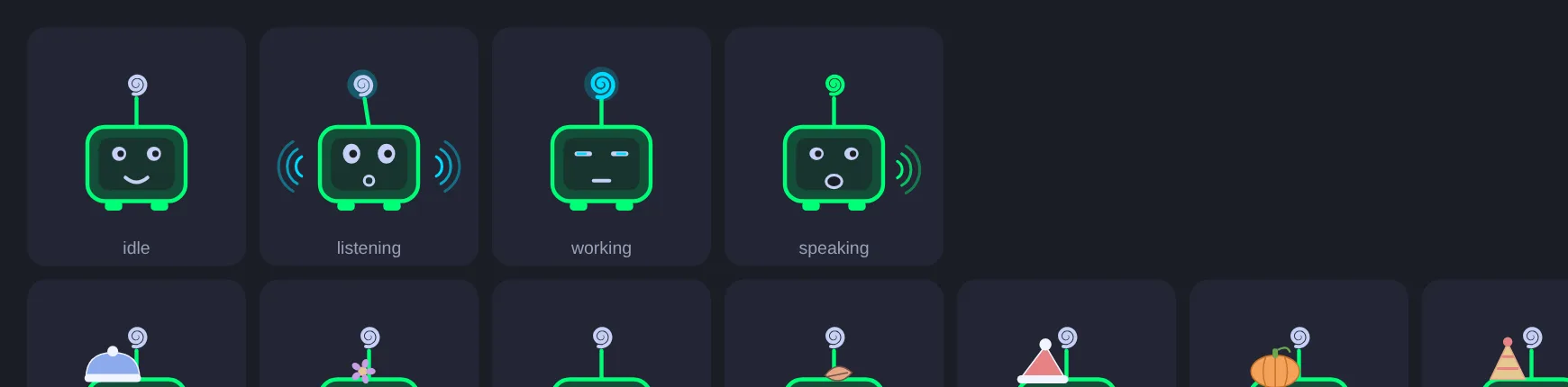
Look
- Colour follows your theme's accent unless you pick one with
--color. - Outfits follow the season in
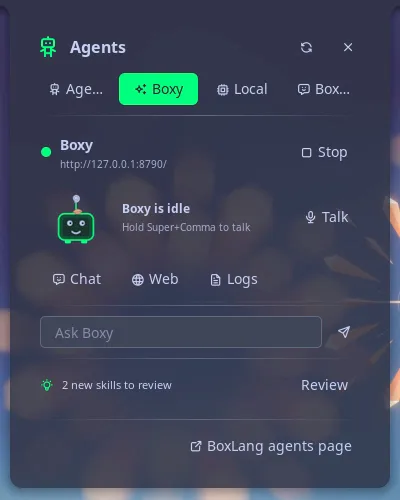
auto: a beanie in winter, a flower in spring, sunglasses in summer, a leaf in autumn. Holiday outfits (christmas,halloween,newyear) appear only for the holidays you list, and the party hat on your birthday.--outfit=noneturns it all off, or pick one:beanie,flower,sunglasses,leaf,santa,pumpkin,party. - Four pictures: Boxy is an antenna bot. The tip of its antenna is the BoxLang swirl: it is lit and turns while Boxy works, the antenna leans while it listens, and the mouth opens when it speaks. The bar shows the one for what Boxy is doing;
bxrig boxy exportwrites them as PNG (SVG withoutrsvg-convertor ImageMagick). The working swirl has four pictures, so it turns. - In a terminal it is a small text sprite, like
[ •‿• ], with the outfit as a hat above.
Your conversations and logs
BxRig keeps no copy of your chats. They are bx-agents' own (~/.bxagents/Boxy/chat.db), and you open them there:
- Chat in a terminal:
bxrig ai agents chat, Super+Period, or the bar's Boxy tab, Chat. It joins the running Boxy, so your earlier chats are there. - The web page:
bxrig ai agents open, Super+Shift+Period, or Web in the bar tab: chats, files and skills. - Logs:
bxrig ai agents Boxy logs --ui(a full-screen viewer), or Logs in the bar tab.
What you say with the hold-to-talk key goes into the same Boxy, as the conversation bxrig-voice.
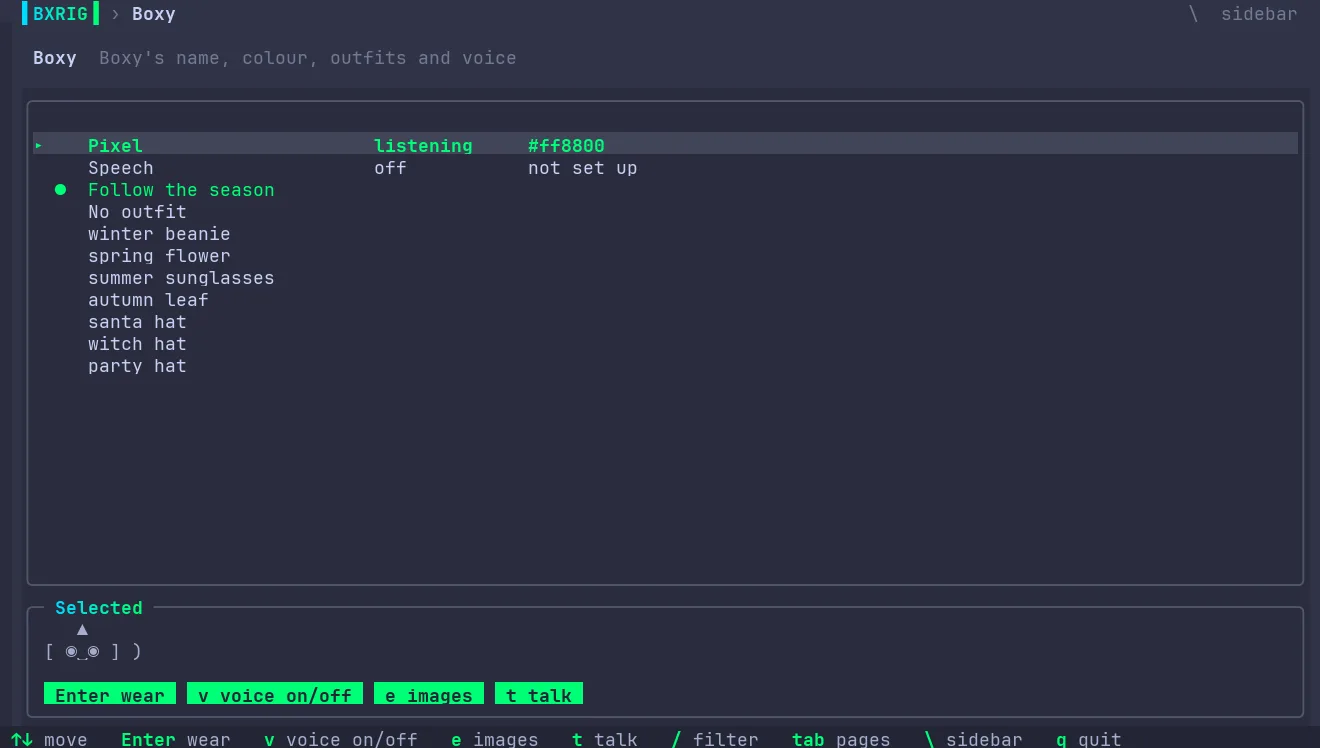
The Control Center has a Boxy page (bxrig tui boxy): Enter on an outfit puts it on.
Talk to it
Install Voxtype (bxrig dictation setup voxtype), then hold Super+Comma, speak, let go. The Copilot key (Super+Shift+F23) does the same. In the Mac key style the key is Super+Ctrl+Slash, since Super+Comma is Preferences there. The bar's Boxy tab has a Talk button as well.
Your words go to Boxy like a typed question. The answer comes as a notice. If Boxy wants to change something, it waits for you on screen: approving is never done by voice.
Let it speak
Speech is off. To turn it on, point it at any OpenAI-compatible /v1/audio/speech server:
bxrig secrets set OPENAI_API_KEY
bxrig boxy voice set --url=https://api.openai.com/v1/audio/speech --model=tts-1 --voice=alloy --key=OPENAI_API_KEY
bxrig boxy voice on
bxrig boxy say "hello"
With a cloud server, each answer Boxy reads aloud is sent there: bxrig boxy voice and bxrig privacy both say where. A local speech server works the same way, with a 127.0.0.1 URL. It needs one of pw-play, paplay, ffplay or mpv.
Not tested on real hardware
The commands and the keys are tested with fake tools. The first real run (your microphone, Voxtype's service, the key release, and the picture in the bar) is on your machine.