Calendar and reminders
Your calendars on this machine, an agenda in the terminal and in the Clock panel, and reminders that pop up when it is time.
Calendar and reminders
BxRig keeps a copy of your calendars on this machine with vdirsyncer, shows what is coming up in the terminal and in the Clock panel, and pops up reminders you set.
bxrig pkg install vdirsyncer
bxrig calendar add ical holidays webcal://example.org/holidays.ics
bxrig calendar sync
bxrig calendar agenda --days=3
Calendars
| Kind | Add it with | Notes |
|---|---|---|
| An iCal address | bxrig calendar add ical NAME URL | Any published .ics or webcal:// address. Read only. |
| Google Calendar | bxrig calendar add google NAME --client-id=ID --client-secret-file=FILE | Every calendar of the account. The first bxrig calendar sync, in a terminal, opens Google's sign-in. |
For Google, create a project in the Google Cloud console, turn on the CalDAV API, and create an OAuth client of type Desktop app. Pass its client ID, and save its client secret in a file for --client-secret-file.
bxrig calendar lists the calendars and how many events each has. bxrig calendar remove NAME --yes forgets one and deletes its local copy; the calendar itself stays where it is.
BxRig writes its own vdirsyncer configuration (~/.config/bxrig/vdirsyncer/config, readable only by you), so a vdirsyncer setup of your own is not touched. The events are kept as .ics files in ~/.local/share/bxrig/calendars.
Reminders
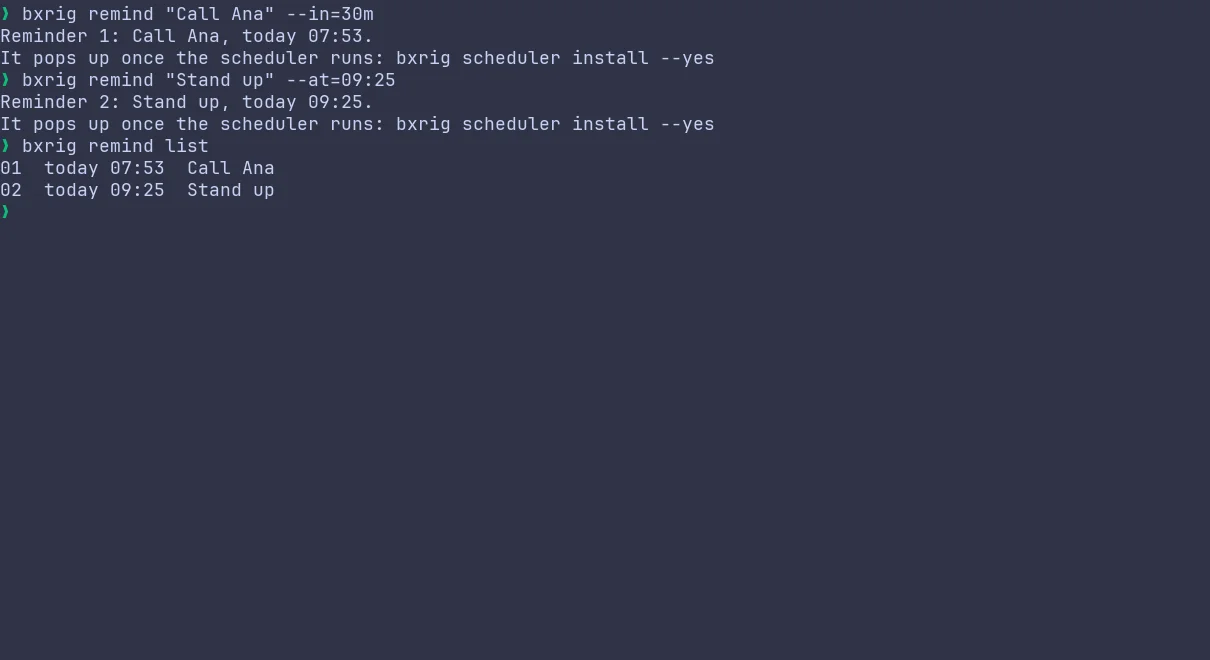
bxrig remind "Call Ana" --in=30m
bxrig remind "Stand up" --at=09:25              # today, or tomorrow when 09:25 has passed
bxrig remind "Renew the domain" --at="2026-12-01 10:00"
bxrig remind list
bxrig remind done 3
--in takes minutes, hours and days: 45, 30m, 2h, 1d, 1h30m.
Keeping it up to date
With the scheduler installed, adding a calendar adds the task calendar-sync (every 15 minutes) and adding a reminder adds the task reminders (every minute), which pops up each reminder once, as a notice that stays until you close it. Installing the scheduler later adds both when you already have calendars or reminders.
The Clock panel
Under the world clocks, the Clock panel shows today's and tomorrow's events and the reminders still to come. A reminder whose time has come is highlighted; its check button marks it done.